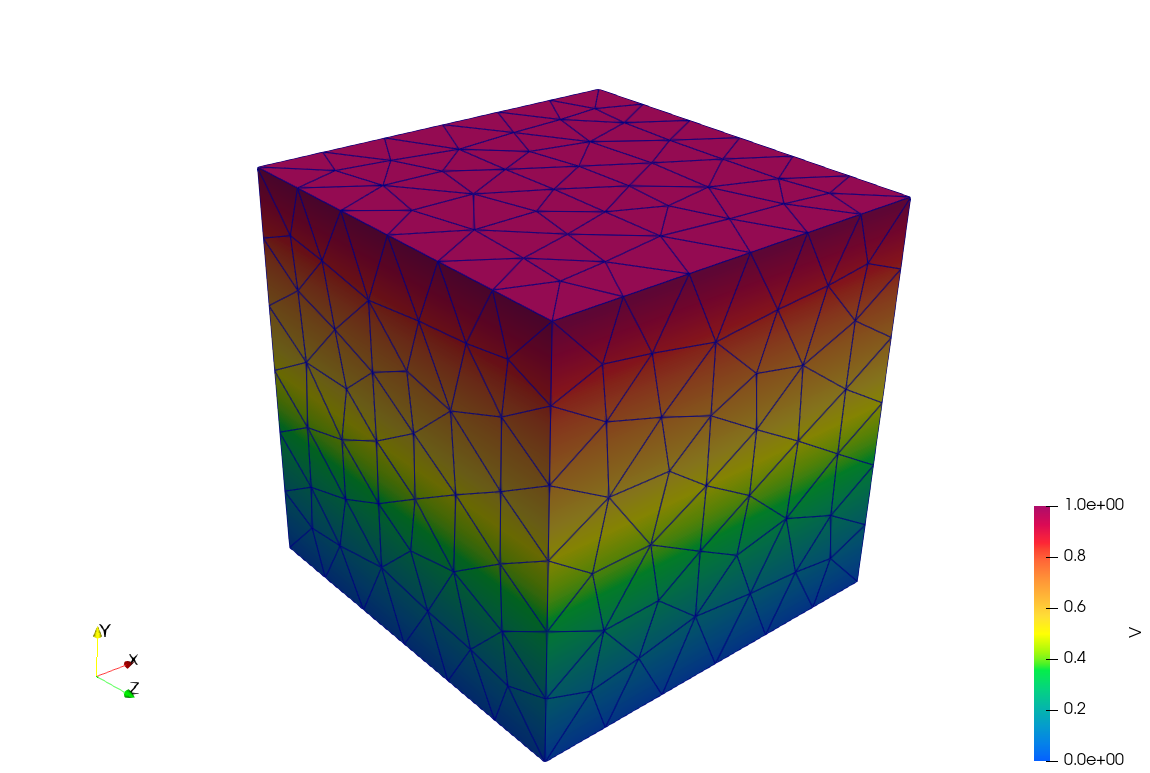
Pre/Post-Processing
Configuration files:
FENGSim/starter/palace/examples/spheres/spheres.jsonGmsh Julia script files:
FENGSim/starter/palace/examples/spheres/mesh/mesh.jlMesh files:
FENGSim/starter/palace/examples/spheres/mesh/spheres.msh.vtkfiles:FENGSim/starter/palace/examples/spheres/postpro/paraview/electrostatic/electrostatic.pvd.csvfiles:FENGSim/starter/palace/examples/spheres/postpro/*.csv
Palace uses the Gmsh .msh file format.
Mesh Format
To install Julia:
cd FENGSim/starter/palace/examples/spheres/mesh
./install_julia_gmsh
To generate the spheres.msh mesh file using Julia:
cd FENGSim/starter/palace/examples/spheres/mesh
julia mesh.jl
To generate the spheres.msh mesh file using Gmsh:
cd FENGSim/starter/palace/examples/spheres/mesh
gmsh spheres.geo -3 -o "spheres2.msh" -format msh2
The format option msh2 is used for the Version 2 ASCII format.
If the mesh file is exported using Gmsh GUI, do not select the option “Save all elements”.
If this option is enabled, physical group numbers will be omitted from the .msh file.
The Gmsh .msh file format is documented in Section 9.1 of the user manual https://web.mit.edu/gmsh_v3.0.1/gmsh.pdf.
$MeshFormat
2.2 0 8
$EndMeshFormat
$PhysicalNames
4
2 2 "farfield"
2 3 "sphere_a"
2 4 "sphere_b"
3 1 "domain"
$EndPhysicalNames
$Nodes
48882
1 4.592425496802574e-15 -1.124819836996393e-30 75
2 4.592425496802574e-15 -1.124819836996393e-30 -75
.......
$EndNodes
$Elements
11317
1 21 2 2 1 2 234 225 295 296 297 298 299 300 301
2 21 2 2 1 127 227 129 302 303 304 305 306 307 308
.......
437 21 2 3 2 2020 3 2093 2112 2113 2114 2115 2116 2117 2118
438 21 2 3 2 2053 2078 2079 2119 2120 2121 2122 2123 2124 2125
.......
645 21 2 4 3 2961 2958 2997 3021 3022 3023 3024 3025 3026 3027
646 21 2 4 3 2944 2941 2995 3028 3029 3030 3031 3032 3033 3034
.......
845 29 2 1 3 3805 3806 3807 3808 5287 5288 5289 5290 5291 5292 5293 5294 5295 5296 5297 5298 5299 5300 5301 5302
846 29 2 1 3 3809 3810 3811 2992 5303 5304 5305 5306 5307 5308 5309 5310 5311 5312 5313 5314 5315 5316 5317 5318
.......
$EndElements
Line 6: The first number
2is the dimension and the second number3is the physical group number.Line 19: The second number
21is the element type. The third number is the tag number (for how many tags). The fourth and fifth numbers are the tags for physical groups and geometrical groups.
Configuration Format
Solvers:
Eigenmode
Driven
Transient
Electrostatic
Magnetostatic
Materials:
Permeability
Permittivity
LossTan
Conductivity
LondonDepth
MaterialAxes
Boundary Conditions:
PEC: zero tangential electric field used for electrostatics, frequency domain and time domain
PMC: zero tangential magnetic field used for magnetostatics, frequency domain and time domain
Impedance: relates the tangential electric and magnetic fields on the boundary used for eigenmode, frequency domain and time domain
Absorbing: eigenmode, frequency domain, time domain
Conductivity: frequency domain
LumpedPort: eigenmode, frequency domain, time domain
WavePort: frequency domain
WavePortPEC: from WavePort
SurfaceCurrent: magnetostatics, frequency doamin, time domain
Ground: zero voltage used for electrostatics
ZeroCharge: zero charge used for electrostatics
Terminal: electroststics
Periodic
from .xml to .json
To convert an .xml dictionary file to .json format:
python3 xml2json.py
emacs data2.json
To convert .xml to .json for a third-order example with ground and terminal b.c.:
python3 xml2json2.py
input .xml: configure_spheres
.xml is configure_spheres.xml
input .msh: spheres
.msh is mesh/spheres.msh
./../../../../toolkit/CEM/palace/palace/build/palace-x86_64.bin data3.json
paraview postpro/paraview/electrostatic/electrostatic.pvd &
To convert .xml to .json for a first-order example with ground and terminal b.c.:
python3 xml2json2.py
input .xml: configure_spheres
.xml is configure_spheres.xml
input .msh: spheres2
.msh is mesh/spheres2.msh
./../../../../toolkit/CEM/palace/palace/build/palace-x86_64.bin data3.json
paraview postpro/paraview/electrostatic/electrostatic.pvd &
To convert .xml to .json for a first-order example with ground, terminal and zerocharge b.c.:
python3 xml2json2.py
input .xml: configure_ex_3d
.xml is configure_spheres.xml
input .msh: ex_3d
.msh is mesh/ex_3d.msh
./../../../../toolkit/CEM/palace/palace/build/palace-x86_64.bin data3.json
paraview postpro/paraview/electrostatic/electrostatic.pvd &